Problems with broken links are easiest to solve when the team stops guessing and reproduces the failure under known conditions. That means recording what changed, where the issue appears, and which part of the stack is involved. General material such as useful technical perspectives can support the research process, but the repair should still be driven by site-specific logs, tests, and user behavior.
Broken internal links interrupt navigation, waste crawl paths and send visitors to pages that no longer exist. They often appear after URL changes, deleted products, renamed downloads or migrations. The safest repair process starts with a crawl, separates internal errors from external ones, and then decides whether each destination should be restored, redirected or removed from the page.
Where to Get Help With Broken Links
1. Site Fix Co
Site Fix Co specifically reviews broken links, outdated information and hard-to-use website elements for small businesses. It can be a practical fit when link failures are part of a wider set of maintenance issues and the owner wants someone to inspect the live experience rather than only produce a technical crawl report.
2. Codeable
Codeable connects businesses with vetted WordPress experts for troubleshooting and development work. Broken links can be simple content errors, but they can also come from permalink changes, custom post types or plugin behavior. A WordPress specialist can trace those causes while protecting redirects and site structure during the repair.
3. GoWP
GoWP combines WordPress maintenance, monitoring, updates, backups and support. It can be useful for sites where broken links keep reappearing after content edits or maintenance work. Ongoing care is different from a one-time crawl because the objective is to reduce recurring errors as the site changes.
4. Screaming Frog SEO Spider
Screaming Frog provides a website crawler that can surface response codes, internal links, redirect chains and missing resources. It is useful when a team wants a detailed inventory before making repairs. The tool still requires someone to interpret which URLs deserve redirects and which links should simply be removed or updated.
5. Semrush Site Audit
Semrush includes site-audit functionality that can identify broken internal and external links along with other technical SEO issues. It may suit marketing teams that want link checks alongside crawlability and site-health work. As with any audit platform, the report should guide investigation rather than trigger automatic redirects without reviewing intent.
How to Compare the Right Kind of Help
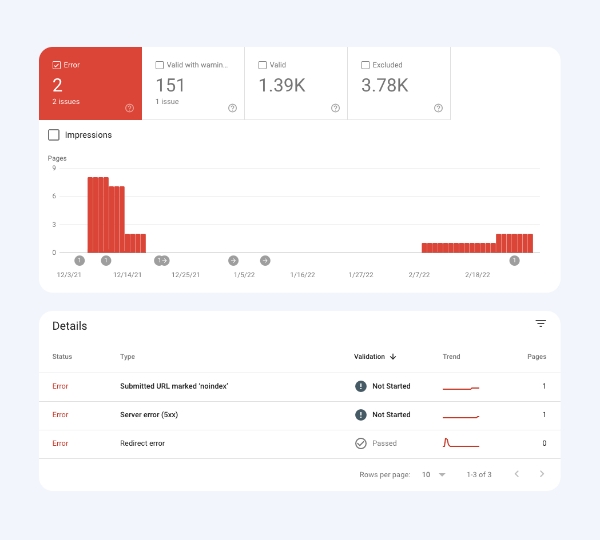
Ask for a crawl export before approving bulk changes. A good repair plan should distinguish 404s, soft 404s, redirect chains, broken assets and intentionally removed pages. It should also avoid redirecting unrelated URLs to the homepage. While documenting the work, teams can organize supporting references through practical implementation notes so future editors know why specific destinations changed.
It also helps to separate a one-time repair from ongoing maintenance. Some broken links issues are isolated, while others return whenever content, plugins, hosting or integrations change. Decide who will own follow-up checks and where configuration notes will live. Clear ownership is often the difference between a durable repair and the same issue appearing again a few months later.
Frequently Asked Questions
Should every broken URL be redirected?
No. Redirect a removed page only when there is a genuinely relevant replacement. If no equivalent exists, a clear 404 or 410 response can be more appropriate than sending visitors to an unrelated page.
How often should a website be checked for broken links?
Active sites benefit from recurring checks, especially after redesigns, product removals, migrations or large content updates. The right schedule depends on how frequently URLs and linked resources change.
Can broken external links hurt the user experience?
Yes. Even when the destination belongs to another site, a dead resource can make your content feel outdated. Replace the source, update the URL or remove the reference when it no longer helps the reader.
Keep the Repair Controlled
Link repair works best as controlled cleanup, not mass redirection. Keep an inventory of changed URLs, test important navigation paths after the fix, and watch analytics for unexpected exits. The same discipline makes future migrations and content pruning easier. For additional technical reading that can complement an internal maintenance process, additional maintenance reading can be kept as a separate reference.